


Hype Text - Animated Text & In
4.62.87K Reviews
App Specs
- Version
- 4.7.3
- Updated On
- License
- Free
- Downloads
- 1,000,000+
- Developer
- cerdillac
- Categories
- Video Players & Editors
- Platform
- Android
Screenshots
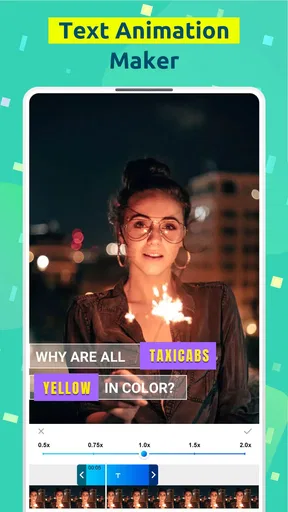
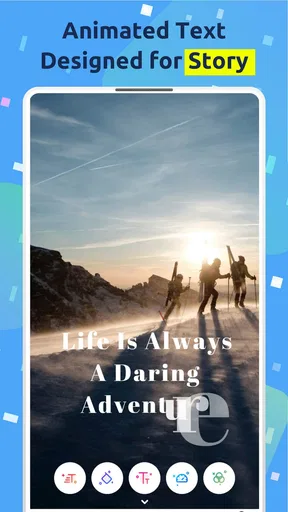
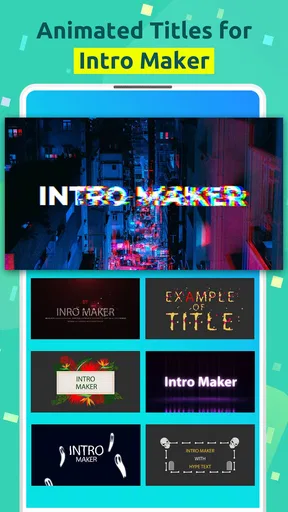
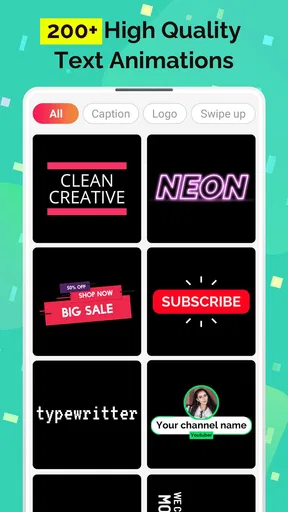
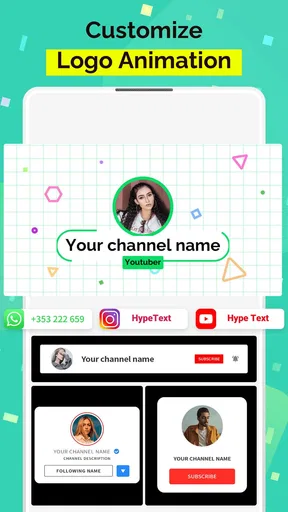
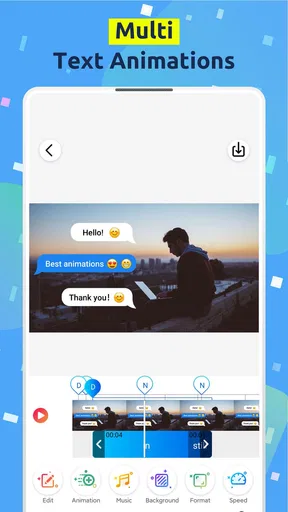
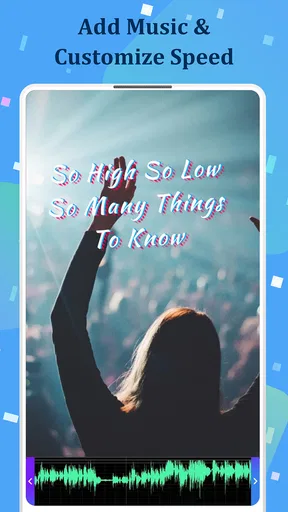
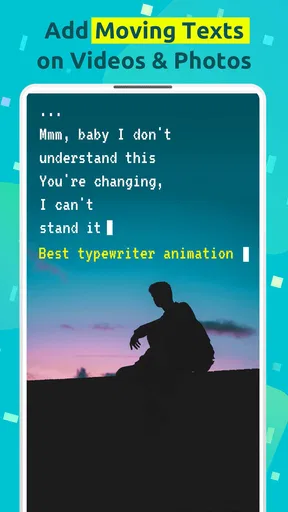
 Analysis by AppCompare
I first came to Hype Text looking for a quicker way to add movement and personality to short videos without opening a full desktop editor. That is still the clearest reason to use it. This is a free video and photo editing app from cerdillac, focused on animated text, intros, and captions rather than trying to replace a complete timeline editor. After spending time with its text-first workflow, I found it most useful when the message matters as much as the footage: a quick announcement, a social clip, a birthday greeting, or a simple visual intro.
The app has earned a 4.6 average from around 73 thousand ratings, with over a million installs, so it is clearly not an obscure experiment. Its Everyone age rating also makes the basic concept approachable for a broad audience. Still, popularity does not make it the right editor for every project. I would recommend it to someone who wants animated words quickly, while I would steer a serious filmmaker or a creator needing detailed audio and layer control toward a more comprehensive alternative.
What using Hype Text feels like today
The first thing I noticed is how directly the app approaches editing. Instead of making me build a complicated project before seeing a result, it puts the emphasis on choosing a photo or video, adding words, and giving those words motion. That narrow focus is a strength. I can concentrate on whether the text is readable, whether its timing fits the clip, and whether the overall style feels appropriate.
That simplicity also defines the app’s limits. Hype Text is not the place I would go for a multi-track production with elaborate transitions, detailed color correction, or precise sound mixing. It belongs in the lighter end of mobile video editors, where speed and visual clarity are more important than deep control. For a short social post, that trade-off often works in its favor.
The app’s store short description is “Hype Text,” while its broader purpose is presented as animated text and intro creation for videos and pictures. In practice, I found that distinction useful: it is less about transforming raw footage and more about making a message feel designed. A plain image can become a small announcement, and a basic clip can gain an opening or closing statement without a long editing session.
Because the app is free to install, it is easy to test without committing to a purchase. There are in-app purchases ranging from $1.99 to $9.99 per item, so I would spend a little time learning what is available in the free experience before planning a regular workflow around a particular style or asset. The sensible approach is to create a sample project first, check the result, and only then decide whether paid extras are worthwhile for your use.
A practical workflow for everyday posts
My preferred use case is a short vertical clip that needs context. Imagine recording a few seconds of a homemade dessert, a weekend walk, or a small event and wanting viewers to understand the point immediately. I would import the clip, add a short phrase, keep the wording large enough for a phone screen, and use animation to introduce it rather than covering the entire scene with decoration.
Worth Reading Before You Choose

EA SPORTS FC Mobile 26 Is a Bigger Football Game, but It Takes Time

Flipboard Shows What News Apps Must Do Beyond the Feed

Switching to Android Auto Means Rethinking Your Driving Routine

Google Calendar Makes a Crowded Week Easier to Manage

Ludo King Makes the Most of the Minutes Between Plans

Baby Panda World Brings Quick Play to Modern Phones, but Its Game Library Feels Busy
The important tip is to write the caption before choosing its effect. Animated lettering can be tempting, but long sentences quickly become hard to follow when they move. I get better results from a brief headline followed by a smaller supporting phrase, with enough empty space around both. Hype Text works best when the animation supports the message instead of becoming the message.
For a birthday greeting or a personal photo montage, I would use the same restraint in a different way. A single image can carry a short greeting, while a second text moment can provide the recipient’s name or a closing line. Keeping each phrase separate makes the sequence easier to read and avoids the common mistake of placing one crowded block over the whole image.
That workflow is also helpful for small businesses and independent creators. A café could turn a food photo into a simple daily special, while a local tutor could add a clear lesson title to a short explanation. These are not full advertising campaigns, but they are realistic situations where a fast text animation is more useful than a powerful editor that takes longer to operate.
Where the app is stronger than a general editor
Most general mobile editors begin with a timeline and offer text as one feature among many. That is useful when I need to cut several clips, synchronize audio, and build a sequence. Hype Text takes the opposite route. It makes the text treatment the central decision, which reduces the number of steps between an idea and a finished visual.
That focus matters when the footage is already acceptable and the missing ingredient is presentation. I do not need to spend time trimming a clip that is only a few seconds long just to add a title. I can focus on the wording, placement, and movement. For someone who finds full editors overwhelming, this can feel much more approachable.
It is also a practical companion to a larger editing app. I would not necessarily choose one tool for every stage. A longer video could be assembled elsewhere, exported as a short segment, and then brought into Hype Text for a title card or animated message. That division of labor is one of the more useful ways to think about the app: it can be a finishing tool rather than the entire production suite.
The trade-off is precision. A full editor usually gives me more control over exact timing, multiple layers, audio placement, and the relationship between several visual elements. If I need a title to land on a specific beat or remain perfectly aligned through a complicated shot, I would rather work in the more detailed editor. Hype Text is better when the visual decision is simple enough to make quickly.
Small decisions that make the output look better
The most valuable improvement I can make is to preview text at the size where people will actually watch it. A phrase that looks elegant while editing may become too small on a phone, especially when the background contains movement or strong contrast. I would test the opening seconds first because viewers need to understand the message before the animation has finished.
I also avoid placing important text too close to the edges. Social platforms often display videos alongside interface controls, and a caption that is technically inside the frame can still feel cramped or partly hidden. Leaving a comfortable margin gives the animation room to breathe and makes the result look more deliberate.
A less obvious tip is to treat animated text as a timing tool, not just a decorative layer. I can use a short entrance to establish the topic, leave the words visible while the key visual happens, and then use a restrained exit. This creates a beginning, middle, and end even when the underlying clip is very short. The result feels more organized without requiring a complex edit.
Another useful trade-off involves background detail. If the image is busy, a highly energetic text treatment can reduce readability. In that situation, I would simplify the wording and choose a calmer movement. If the background is plain, the text can carry more visual energy. The app makes experimentation easy, but good results still depend on matching motion to the image rather than selecting the most dramatic option every time.
What the current version means for existing users
The current version is 4.7.3, and the app has been available since September 2, 2018. That history suggests a product that has had time to settle into its particular role instead of being a brand-new editor still defining itself. For someone already using it, the practical expectation should be continuity around quick animated text creation rather than a sudden transformation into a professional editing workstation.
I would approach the current release as a mature version of a focused idea. Existing users who value fast captions and intros are likely to appreciate that the app remains centered on those tasks. New users should judge it on the same basis: does its direct workflow save time compared with the editor they already have, and are its text-focused results enough for the content they make?
When moving an established project to a newer app version, I would keep exported copies of anything important and test a familiar project before changing a regular publishing routine. That is not a criticism of this particular release; it is simply sensible editing practice whenever a project depends on a specific appearance. A short test also reveals whether the current workflow feels comfortable on a particular phone and whether the final text remains readable after export.
The minimum operating system is Android 5.0, which gives the app a broad compatibility range. That can be useful if I am working with an older Android phone or recommending a simple text-animation tool to someone who does not have a recent device. At the same time, compatibility alone does not guarantee a smooth experience on every handset, so I would judge performance by trying a short project rather than assuming that a supported system version will feel equally fast everywhere.
Where I still notice friction
The biggest limitation is the narrow editing scope. If I want to build a layered story with several clips, carefully mix voice and music, or make detailed corrections to the footage itself, I quickly reach the point where another editor is more suitable. Hype Text can contribute a title or message to that project, but I would not make it the foundation of a demanding production.
There is also a creative risk in relying too heavily on animated typography. Movement can make a basic post feel lively, but it cannot fix unclear writing or weak footage. I have to make decisions about hierarchy, contrast, and timing myself. The app lowers the technical barrier; it does not remove the need for visual judgment.
The purchase structure is another consideration. The app is free, but optional items cost between $1.99 and $9.99 each. For occasional users, that may be perfectly reasonable if the free tools already cover their needs. For someone building a consistent branded style, the cost of repeatedly choosing extras deserves attention. I would first establish whether the available free workflow is sufficient, then buy only what solves a specific problem rather than collecting effects without a plan.
I would also skip it if my priority is advanced control rather than convenience. A creator who needs frame-level animation, extensive sound work, or a large library of editing adjustments will probably be happier with a full-featured alternative. Hype Text is not failing when it omits those capabilities; it is making a different trade-off. The question is whether I want a fast text specialist or a broad production tool.
Who should use it, and who should look elsewhere
I think it is a good fit for students making presentation clips, casual creators preparing short social posts, families creating greetings, and small businesses that need simple promotional visuals without a long learning curve. It is also useful for anyone who already edits video elsewhere but wants a separate, uncomplicated way to add an animated title or closing message.
I would be more cautious about recommending it to professional editors, agencies managing complex client revisions, or creators whose work depends on exact audio synchronization. Those users may find the focused workflow too restrictive once a project grows. A general editor with a proper timeline is the better choice when every cut, layer, and sound cue needs detailed adjustment.
For beginners, I would recommend starting with one short clip and one sentence. That makes it easy to learn the relationship between text length, animation speed, and background movement. Once that feels natural, adding a second text moment becomes much easier than beginning with a long montage and trying to correct a crowded design afterward.
What I would watch as the app continues
For future updates, I would pay attention to how well the app preserves its quick text-first experience while addressing the gaps that matter most to regular users. Better control is valuable, but adding too many panels or professional options could weaken the simplicity that makes the app attractive in the first place. The ideal direction would be more useful precision without turning a fast caption task into a full editing lesson.
I would especially watch the balance between free creation and paid extras. Occasional users need a clear way to make attractive results without feeling forced into a purchase, while frequent creators may reasonably want more control over repeatable styles. The strongest evolution would make that choice feel transparent and practical rather than distracting from the editing itself.
My final view is straightforward: Hype Text is a focused tool for people who want words to move well on a photo or video, not a substitute for every kind of mobile editing. Its current version, broad Android compatibility, free entry point, and strong user response make it easy to try. I would recommend it when speed, simplicity, and animated captions are the priority. I would skip it for complex productions, but for a quick announcement or polished personal clip, the app’s narrow focus is exactly what makes it useful.
After using it, my advice to a friend would be to start small, keep the wording short, preview it on a phone, and judge the result by readability rather than by how many effects can be added. Used that way, Hype Text earns its place beside a larger editor as a practical text-animation specialist. For the right project, Hype Text can turn an ordinary image or short clip into something clearer, more personal, and noticeably easier to watch.
Pros
- Offers many animated text styles for eye-catching social posts.
- Simple editing tools make creating text animations quick.
- Supports exporting content for stories
- reels
- and short videos.
- Useful templates help users start projects without design skills.
- Lets you customize colors
- fonts
- timing
- and animation effects.
Cons
- Some attractive templates and effects require a premium subscription.
- Exported videos may include branding or limitations on the free plan.
- Advanced editing options can feel limited for experienced designers.
- Large template libraries may take time to load on slower devices.
- Frequent animations can increase battery and storage usage.
FAQs for Hype Text - Animated Text & In
What is Hype Text - Animated Text & In, and what can I use it for?
Hype Text - Animated Text & In is a creative text-animation app designed for making eye-catching stories, status updates, social media posts, intros, and short videos. After testing its editing workflow, I found that it focuses on animated typography rather than full video production. You can combine text with backgrounds, colors, effects, and music to create polished visual posts without advanced design experience.
Is Hype Text - Animated Text & In free to download and use?
The app can generally be downloaded for free, but some features, templates, effects, or export options may be restricted behind in-app purchases or a subscription. The free version is useful for trying the editor and understanding its style, although users who want the complete template library or a more professional result should carefully review the pricing and trial terms before subscribing.
Can I save and share animated text videos from the app?
Yes, the main purpose of Hype Text - Animated Text & In is to export animated text creations for sharing on platforms such as Instagram Stories, TikTok, Snapchat, WhatsApp, and other social networks. Export settings can vary depending on the selected design and account plan. Before publishing, check the preview carefully, especially text positioning, animation timing, resolution, and any watermark included in the free version.
Does Hype Text - Animated Text & In require design or video-editing experience?
No advanced editing knowledge is required. The app uses ready-made templates and a relatively straightforward interface, allowing you to replace text, adjust its appearance, choose a background, and apply animation effects. Beginners can create a result quickly, while more experienced users may spend additional time fine-tuning timing, typography, colors, and layout to make the final post feel less like a template.
What should I consider before installing Hype Text - Animated Text & In?
Before installing, consider your storage space, device compatibility, internet connection, and the app’s permission and subscription requirements. Animated designs and video exports may use more processing power than simple image editors, particularly on older phones. Also remember that availability of templates, export quality, advertisements, watermarks, and premium tools can differ between Android and iOS versions or change after updates.


